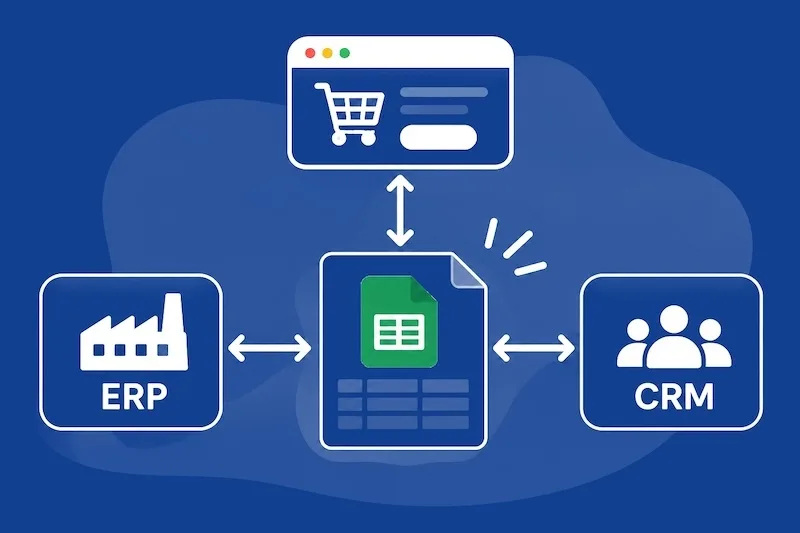
Most companies don't choose all their tools at once. The ERP arrived years ago, the online shop came later and the CRM when the sales team grew, and each one was picked because it did its own job well. How they would exchange data was rarely thought through at the same time, so that part has been worked out along the way, often by hand.
If you run a company or a department and are wondering whether it's time to look at systems integration, here are the situations we come across most in our projects and how we usually approach the first step. You don't need any technical knowledge to spot them, because they tend to be in plain sight in the team's day-to-day work.
A spreadsheet acting as a bridge
Almost every company has one. An ERP export that someone opens every Monday, tweaks and uploads to the shop again, or a shared Excel file where the sales team logs orders so that accounts can invoice them. At first it's a reasonable, quick fix, and it often stays that way for years.
It becomes a sign when the spreadsheet grows and takes on a life of its own, with tabs only the person who built it understands and formulas nobody dares to touch. If the process stops when that person goes on holiday, or if every week someone has to check by hand that the numbers add up, the spreadsheet is doing a job that belongs to a connection between systems.
Reports are much the same. When finding out how much you sold last month means cross-referencing several exports and someone spends a couple of days putting it together, the figures arrive days behind what is actually happening in the shop.
Data typed in twice
Another very clear sign is the team typing the same thing in two places. An order that comes in through the website and someone re-enters in the ERP, or a new customer set up in the CRM and again in the invoicing software. Prices work the same way: the price list is changed in the management system and then someone updates it in the shop, product by product.
Every time data is re-entered there's a chance of getting a digit or a reference wrong, and those mistakes tend to surface late, when a customer complains or the month-end close doesn't add up. There's also a less visible cost. The people doing this work are often the ones who know the business best, and a good part of their week goes on copying data that already exists somewhere else.
Errors between the ERP and the online shop
This is the sign most noticeable outside the company, because the customer feels it. Products shown as available on the website when the warehouse has run out, or prices that don't match the price list. Orders, too, that get stuck halfway without anyone knowing which system lost them. Sometimes a connection already exists, but it's a sync that runs once a day or a connector that fails without telling anyone.
When errors like these appear, the cause is almost always where the two systems meet: in deciding which one owns each piece of data and what happens when an update fails along the way. We looked at this from another angle when explaining how to choose between Shopify and custom development, since the relationship with the ERP is one of the first things we ask about before recommending what a shop should be built on.
Where to start with systems integration
Seeing several of these signs doesn't mean connecting everything in one go or switching tools. The usual approach is to start from what already works, the ERP, the shop or the CRM the team knows, and link them where there's most manual work today or where a mistake has the biggest consequences. Some tasks are done by hand once a quarter and aren't worth automating, while others happen many times a day and need a connection as soon as possible.
A useful first step is to map the journey of an order or a customer, from the moment it comes in until it's invoiced: which systems it goes through, who touches each piece of data and when it gets copied from one place to another. With that map in front of you, it usually becomes clear which connection would save the most work and which can wait.
Having done similar integrations before helps a lot at this stage. An experienced team knows how to work with the ERP provider, who is nearly always part of the project, and thinks from the start about what doesn't come up in the first meeting, such as what happens if the connection drops mid-afternoon or who finds out when an order doesn't reach its destination. That's the work we do in systems integration and automation, and we set it up so it keeps working when something changes on either side.
If any of these signs sound familiar
If you're not sure whether it's worth connecting your tools, we can look at it with you. Tell us how an order moves from one tool to another today, and we'll tell you whether it makes sense to integrate anything and where we'd start.
